Just a few years ago, creating your own website seemed like a complex technical task. It felt impossible without a programmer and special knowledge. Today the situation is completely different. An entrepreneur, expert, craftsman, teacher, or anyone who wants to present themselves online can launch their own project.
Despite this, many beginners still feel confused at the start. Unfamiliar words immediately appear: domain, hosting, CMS, SEO. Because of this, the question of how to create a website is often postponed, as it seems too complicated. In reality, everything is much simpler if you go step by step. Creating an online resource is not about complex programming but about a clear sequence of actions and правильні рішення at each stage.{{2rem}}
What is a website and how does it work
A website is an online resource consisting of pages that open in a browser via a specific address. In simple terms, it is your space on the internet where you can publish information, sell products, post articles, or collect client inquiries.
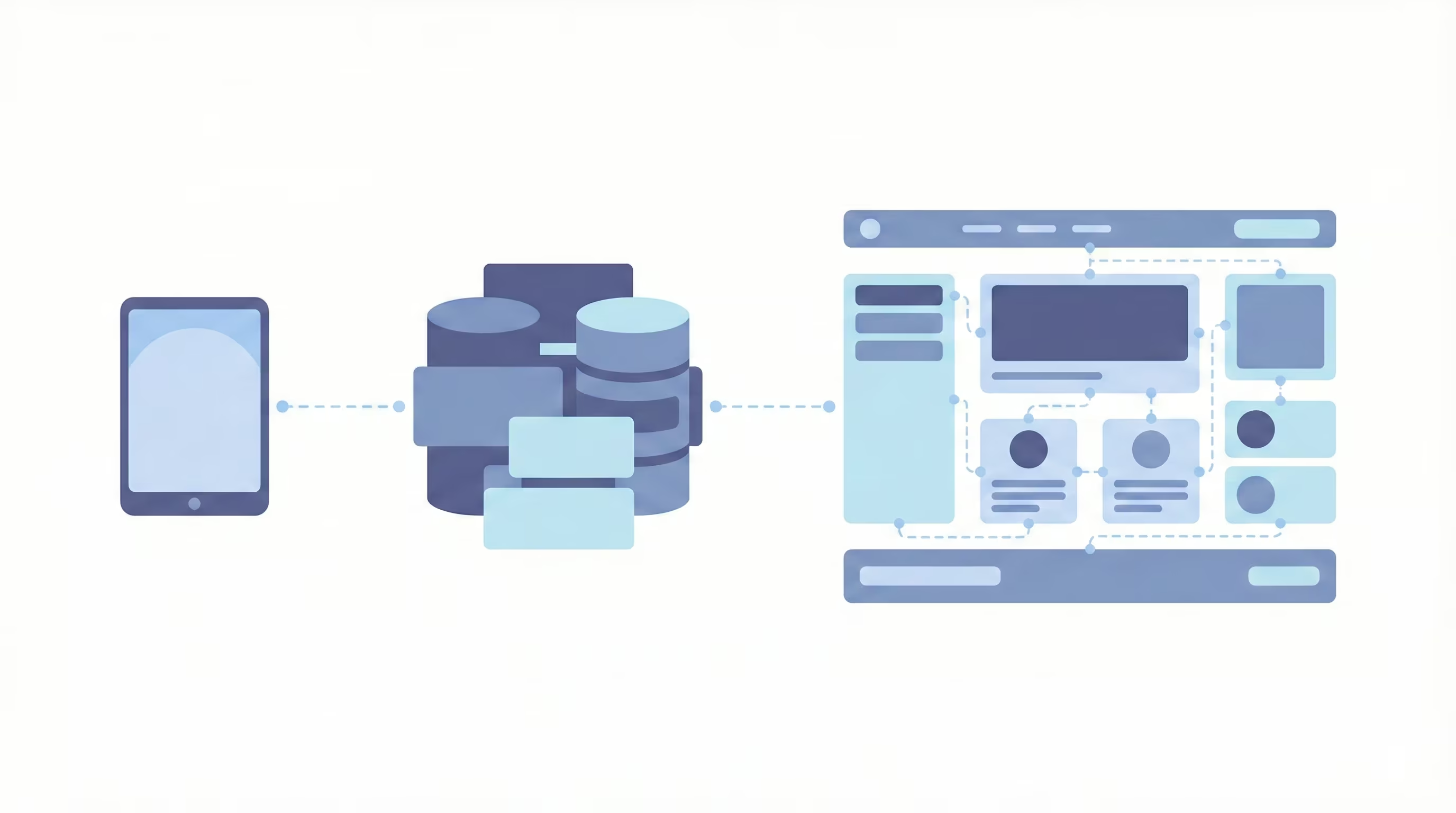
Технічно сайт – це набір файлів і даних, які зберігаються на сервері. Коли людина вводить адресу сайту в браузері, її пристрій надсилає запит. Сервер отримує цей запит, знаходить потрібні файли та передає їх назад. Браузер обробляє ці файли й показує готову сторінку на екрані.
Technically, a website is a set of files and data stored on a server. When someone enters the website address in a browser, their device sends a request. The server receives this request, finds the necessary files, and sends them back. The browser processes these files and displays the ready page on the screen.
The process happens in seconds but follows a clear sequence of actions:
- The user enters the website address.
- The browser sends a request to the server.
- The server finds the necessary data.
- The page loads in the browser.
Any website, regardless of complexity, works on this principle. It is important to understand one key idea: a website is not just a “picture on the internet” but a system that processes user requests and displays information in response. When you understand this principle, website development becomes easier.
Main components of a website
To truly understand how to create a website, it is important not only to know individual terms but also to understand how they are connected. A website is a complete system in which each element performs its function. If one component works poorly or is chosen incorrectly, it affects the entire resource. Here are the main components present in every website:
- Domain name. This is the unique address of the website. It forms the first impression, affects brand recognition, and influences trust. It should be short, clear, without complex transliterations or unnecessary symbols. A domain is registered through special registrars and requires annual renewal.
- Hosting. This is the server environment where all website files are physically stored: code, images, and databases. The quality of hosting affects loading speed, stability, and security.
- Content management system (CMS) or another platform. This software allows you to create pages, edit text, and add functionality without directly working with code. The platform determines the website’s flexibility, scalability, and administrative complexity. Choosing a platform is a responsible decision, especially if you plan to grow the project.
- Structure and navigation. A website should have a logical hierarchy of pages: homepage, informational sections, service pages, contacts, blog, etc. A well-thought-out structure simplifies user interaction and positively affects search engine indexing.
- Content. This includes text, graphics, videos, and contact forms. Content should not just fill pages but answer user needs. It builds trust, demonstrates expertise, and motivates action.
- Design and technical responsiveness. The visual design should match the website’s purpose and be easy to perceive. It is equally important that the site displays correctly on all devices, from smartphones to large monitors. Responsiveness today is a standard, not an advantage.
- Technical settings and SEO foundation. This includes proper indexing, metadata configuration, loading speed, and secure connection. Without this, a website may exist technically but remain invisible to search engines.
Together, these components form a complete web resource. Understanding their role allows you to approach creation systematically, rather than chaotically. It is this approach that answers the practical question: how to make a website so that it not only exists, but effectively solves your tasks.{{2rem}}
Why create a website
A website is never created without purpose. Behind every resource stands a specific goal: business, informational, image-related, or personal. Understanding this goal is the foundation of the entire process. If you do not define why you need an online resource at the start, it will be difficult to choose the right format, structure, and tools.
The most common reasons for creating a website include:
- Selling products or services. Online stores, company websites, and landing pages for collecting inquiries are tools for direct revenue. A website works as a digital sales manager available 24/7.
- Building a personal or corporate brand. Experts, consultants, artists, and companies use websites to present themselves, their achievements, and experience. It is a space fully controlled by the owner.
- Informational activity. Blogs, news portals, and educational platforms are created to share knowledge, analytics, or personal opinions. In this case, the main value is content.
- Collecting contacts and communicating with the audience. A website can function as a platform for event registration, newsletter subscriptions, consultations, or inquiries.
- Portfolio and showcasing work. For designers, photographers, developers, or architects, a website is a professional business card that demonstrates real cases and achievements.
- Launching and testing an idea. Startups often begin with a simple web resource that allows them to test demand and attract their first users.{{2rem}}
Where to start when creating a website
Before moving directly to technical steps, it is important to pause and strategically evaluate the future project. The most common mistake beginners make is starting with choosing a template or platform without understanding why the resource is being created. If you truly want to understand how to create a website effectively, you should begin not with tools, but with the goal and format of the future site.
First, the goal and type of resource are defined. Then, the method of implementation is chosen — through a CMS or a website builder. Only after that are technical issues addressed: domain registration and hosting selection. This approach helps avoid хаотичні actions and immediately build a logical foundation for further work.{{2rem}}
Defining the goal and type of website
The first practical step in creating a website is clearly formulating its purpose. Without this, any technical decisions will be random. The goal determines the structure, functionality, amount of content, and even the choice of platform. If you do not answer what the resource should actually do at the start, it either will not deliver results or will require constant revisions.
To clarify the goal, answer the following questions:
- What problem does the website solve? Selling products, finding clients, presenting services, collecting inquiries, or informing the audience.
- Who is your target audience? Private clients, businesses, a narrow professional community, a local market, or a broad online audience.
- What action should the user take? Purchase a product, submit a request, call, subscribe, or review a portfolio.
- Is scaling planned? For example, adding new sections, a blog, online payments, or user accounts.{{1rem}}
After defining the goal, the website type is chosen. The most common formats include:
- Business card website. A small resource with basic information about a company or specialist. Suitable for local businesses or private practice.
- Landing page (one-page website). Focused on a single specific offer or product. Its task is to concentrate attention on a target action. Landing page development usually takes the least time.
- Corporate website. A more structured resource with sections about the company, services, cases, and contacts.
- Online store. A platform for selling products with a catalog, cart, payment system, and order management.
- Blog or media resource. A website for regular content publication with the ability to structure materials by categories.
- Portfolio. A showcase of work with a minimal number of unnecessary elements.
Clearly defining the type of resource helps immediately understand the scope of work, budget, and technical requirements. This is the foundation on which the entire creation logic is built.{{2rem}}
Choosing the development method: CMS or website builder
After defining the goal and type of website, a practical question arises: what should it be built on? Today, there are two main approaches — using a CMS (Content Management System) or an online website builder. The choice depends on budget, technical skills, and long-term development plans.
An online website builder is an all-in-one solution. You register, choose a template, and edit the site in a visual editor. Hosting is usually included in the plan, and technical settings are minimized.
A website builder is appropriate when:
- a quick launch is needed without diving into technical details;
- the site is small: business card, landing page, or portfolio;
- the budget is limited;
- complex integrations or scaling are not planned.
The advantage of a builder is simplicity. The disadvantage is limited flexibility and dependence on the platform.
A CMS (Content Management System) is software installed on hosting. It provides greater control over structure, design, and functionality. A CMS allows you to connect additional modules, integrate payment systems, configure SEO more deeply, and expand the site in the future.
A CMS should be chosen if:
- an online store or large-scale project is planned;
- flexibility in design and functionality is required;
- you want full control over the website;
- future development and adding new sections are expected.
CMS platforms are chosen for scalability and control. However, it is important to understand that they involve a more complex start and require basic technical setup. The choice of development method determines the further logic of working with the site, so it should be made considering not only current needs but also future plans.{{2rem}}
Domain registration and hosting selection
Once the website concept is defined, it is time to move to the technical foundation. At this stage, your project stops being just an idea and receives a real “address” on the internet. A domain and hosting are the foundation of web development — without them, a website simply cannot exist. The correctness of this choice affects not only availability, but also speed, stability, and user trust.
Let’s start with the domain. A domain name is the unique website address users type into a browser. It should not be random but well thought out, as it is the starting point of brand recognition. When choosing a domain, consider the following:
- The name should be short and easy to pronounce.
- Avoid complex transliteration and excessive hyphens.
- The domain should match the company name, product, or website topic.
- Choose a domain zone relevant to your market: .ua for Ukraine, .com for international projects, etc.
Before registration, check domain availability through a registrar service. If the desired name is taken, it is better to reconsider the wording rather than complicate it with additional symbols. Registration is usually done for one year with renewal options.
The next step is choosing hosting. If a domain is an address, hosting is the space where all website files are stored. The server processes user requests and delivers pages to the browser. Therefore, the choice must be made carefully. Pay attention to:
- Server speed and response time.
- Stability and minimal downtime.
- Availability of technical support.
- Regular data backups.
- Compatibility with your chosen CMS or platform.
For a small website or landing page, a basic plan is sufficient. If you plan an online store or a high-traffic resource, consider more powerful solutions such as VPS or a dedicated server.
After purchasing the domain and hosting, they must be connected via DNS settings. This usually takes a few hours, sometimes up to a day. After that, the site becomes accessible at the selected address. At this stage, the technical framework of your future resource is formed. The more carefully you choose your domain and hosting, the fewer problems you will face later.{{2rem}}
How to create a website yourself: step by step
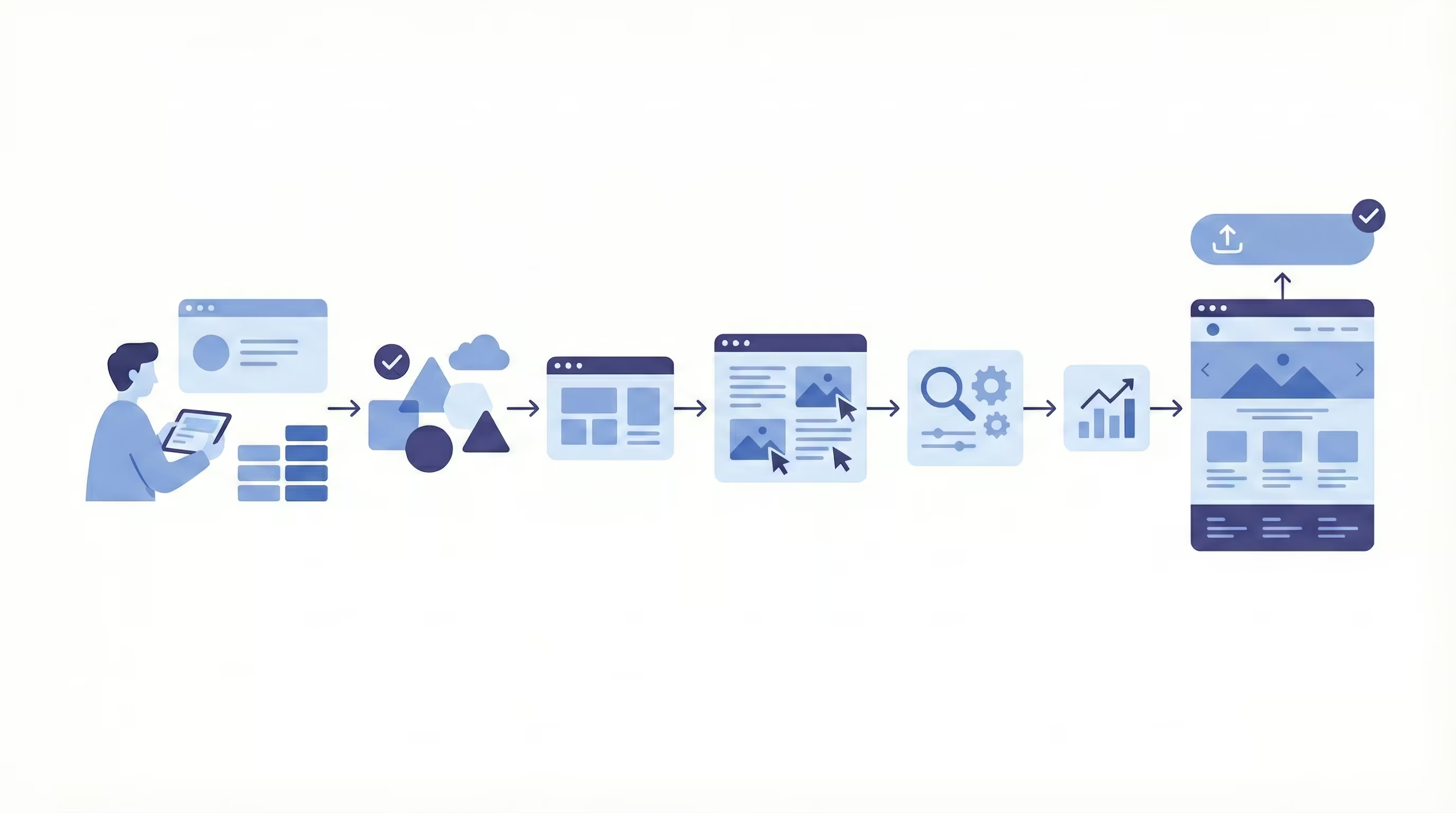
Once you have defined the website’s goal, chosen the format, and prepared the technical foundation, you can move to the practical part. At this stage, the abstract question of how to create a website turns into specific actions.
First, the platform is chosen. Then, a template is selected, the structure is built, and content is added. After that, basic SEO and analytics settings are configured. Only then should the website be published. This approach helps avoid technical mistakes and lays the correct foundation for future development.
Choosing a platform
The platform determines how you will manage pages, add content, customize design, and expand functionality. A mistake at this stage may lead to limitations that will have to be solved after launch.
First, evaluate your budget, technical skills, and long-term development plans. If you need a website quickly without complex integrations, an online builder is suitable. If you plan an online store, a large blog, or a corporate resource with extended functionality, a CMS is a better choice.
When choosing a platform, consider:
- Ease of use and administration.
- The ability to modify design and structure without serious restrictions.
- Availability of additional modules or extensions.
- Compatibility with payment systems, CRM, or other services.
- Level of technical support and documentation.
- Project scalability prospects.
It is important to understand that the platform should meet not only current needs but also future goals. If you plan to grow the website, add new sections, or run advertising campaigns, it is better to choose a flexible solution from the beginning.{{2rem}}
Choosing a template
A template is the framework on which you place your content. Therefore, it should be selected based on goals rather than personal preferences. Before approving a template, evaluate the following:
- Does the template structure match your website type? For example, an online store requires a catalog, filters, and product pages, while a portfolio needs a strong visual focus.
- Is the design responsive and displayed correctly on smartphones and tablets?
- Can colors, fonts, and blocks be easily changed without editing code?
- Is the template overloaded with animations and complex elements that may slow down the site?
- Is it optimized for SEO and fast loading?
Simplicity deserves special attention. Beginners often choose visually impressive templates with many decorative elements that look great in demos but complicate work and distract from the main content. In contrast, a clean structure, clear heading hierarchy, and intuitive navigation usually perform much better.{{2rem}}
Editing content
After choosing a template, comes the stage that directly impacts the result — filling the website with content. Content must respond to the user’s query and guide them toward a specific action. Texts should be well-structured: with clear headings, short paragraphs, and simple wording. It is important to think through the page logic in advance.
In addition to text, images and other media files must be optimized. They should be high quality but not overload the site in size. It is also necessary to check all buttons, contact forms, and contact details. At this stage, test every page as if you were a visitor: is the information easy to find, are the benefits clearly formulated, and so on.{{2rem}}
SEO and analytics setup
Even a technically correct and well-designed website will not deliver results if it is difficult to find in search engines. Technical SEO includes setting page titles (title), descriptions (meta description), proper H1–H3 heading structure, and logical URLs. It is also important to check page loading speed and enable secure HTTPS connection.
Another essential step is connecting analytics. It allows you to track visitor numbers, traffic sources, and user behavior. With analytics, you can evaluate which pages perform effectively and which require improvement.{{2rem}}
Website publication
Publication is the final stage when the website becomes accessible to visitors. Before launch, a technical check is required: test display on different devices, verify loading speed, forms, links, and contact information. Even small mistakes can negatively affect first impressions.
After launch, the work does not end. Publication is the beginning of development. During the first days, monitor performance carefully, analyze user behavior, and promptly fix issues. A website is a living tool that requires regular updates and improvements.{{2rem}}
Website builders or CMS: which is better
When it comes to practical launch, choosing the tool becomes crucial. Both builders and CMS platforms allow you to create a full website without deep programming knowledge, but they differ significantly in approach. One focuses on speed and simplicity, the other on flexibility and long-term growth.
The right answer depends on your goals. If the site is needed to start quickly or test an idea, speed matters. If you plan scaling, integrations, and expanded functionality, it is better to think strategically from the beginning.{{2rem}}
Advantages of website builders
A builder is a ready-made solution where most technical processes are already configured. You work in a visual editor, drag blocks, edit text, and immediately see results.
Main advantages:
- Quick launch without technical setup.
- No need to separately purchase and configure hosting.
- Simple interface suitable even for beginners.
- Ready-made templates with mobile adaptation.
- Technical support included in the service.{{2rem}}
Advantages of CMS
A CMS is a more flexible solution. You install the system on your own hosting and gain full access to structure, files, and functionality. This provides greater development opportunities.
Key strengths of CMS:
- Flexible design and structure customization.
- Connection of additional modules and integrations.
- Convenient work with large volumes of content.
- Better SEO optimization capabilities.
- Full control over data and technical components.{{2rem}}
Common beginner mistakes
Even a simple website may fail if basic mistakes are made at the start. Most of them are related not to technology but to the lack of clear strategy:
- No clear goal. The site is created without understanding what action the user should take.
- Overloaded design. Too many blocks, animations, and text complicate perception.
- Ignoring the mobile version. If the site is неудобный on a smartphone, users will leave.
- Lack of basic SEO. Without proper headings and structure, pages are difficult to find in search.
- No analytics. Without data analysis, it is impossible to understand what works and what does not.
Avoiding these mistakes is simple: plan ahead, test the resource before launch, and regularly analyze its performance.{{2rem}}
Conclusion
Creating a website from scratch is primarily a sequence of logical steps. When you understand the purpose, choose the right platform, and plan the structure, the process becomes manageable. The question of how to create a website stops seeming complicated when broken down into specific stages.
A website is a tool that must work toward your goal: selling, building trust, presenting expertise, or collecting inquiries. It is important not to chase complexity but to build the foundation correctly from the start. A systematic approach helps create a resource that will remain effective and valuable in the long term.{{2rem}}
FAQ
In this section, you can find answers to the most common questions about how to create a website.
What is needed to create a website?
To launch a website, you need a domain, hosting, and a platform for building pages. You must also prepare structure and content: texts, images, and contact information. Without a clear goal and well-thought-out content, even a technically correct resource will not be effective.{{1rem}}
Can a website be created for free?
Yes, you can use a free builder plan or a local CMS version. However, such solutions usually have limitations: a subdomain instead of a custom address, platform advertising, or limited functionality.{{1rem}}
What to choose: CMS or website builder?
If you need a quick launch with minimal technical setup, a builder is suitable. If the site is planned as a long-term scalable tool, a CMS is a better choice. The decision depends on your goals, budget, and development plans.{{1rem}}
How long does it take to create a website?
A simple landing page can be created in a few days. More complex projects, such as online stores, require several weeks. The timeline depends on functionality, content preparation, and your experience.