When a company plans to launch or redesign a website, the conversation almost always starts with the budget. And here a logical question appears: what determines the cost and why is the range of offers so wide? For some, design is a visual shell; for others, it is a sales tool that affects conversion, trust, and brand positioning. That is why a request like “website design price” does not have a single clear answer. The final cost is formed not by the number of pages, but by the depth of analytics, the complexity of the structure, and the level of user experience development.{{2rem}}
What affects the cost of website design
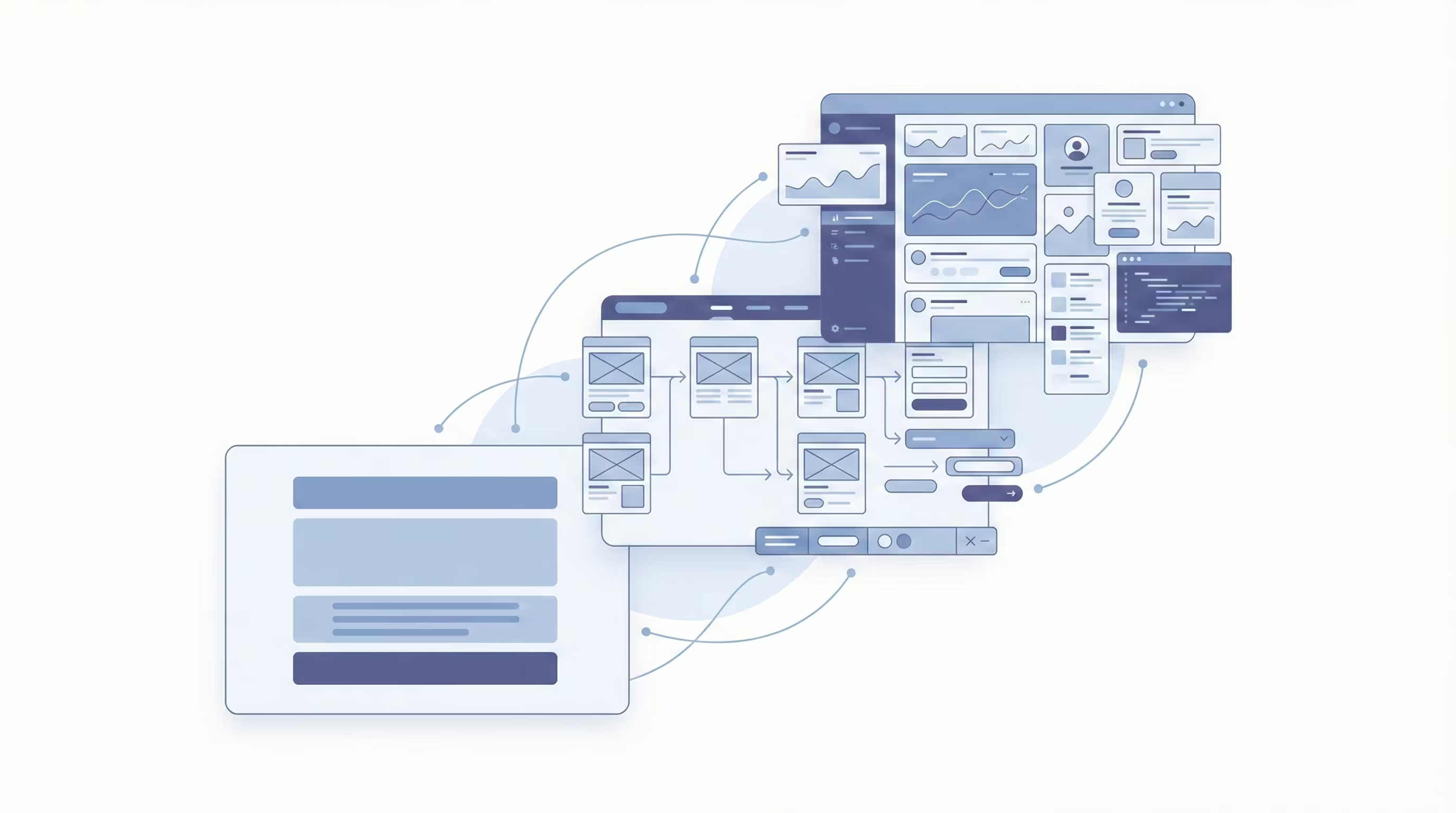
The cost of design is formed by specific decisions made even before work begins in Figma. The more complex the business process, the more interaction scenarios and customer touchpoints there are, the more time is required for design. It is the amount of logic and depth of development — not simply the number of pages — that determines the final budget.
Before calculating numbers, it is important to understand the scale of the task. The type of website, the number of unique layouts, and the level of preliminary analytics can significantly change the approach to work. Below we will consider each of these factors separately to clarify what exactly you are paying for.
Website type and structural complexity
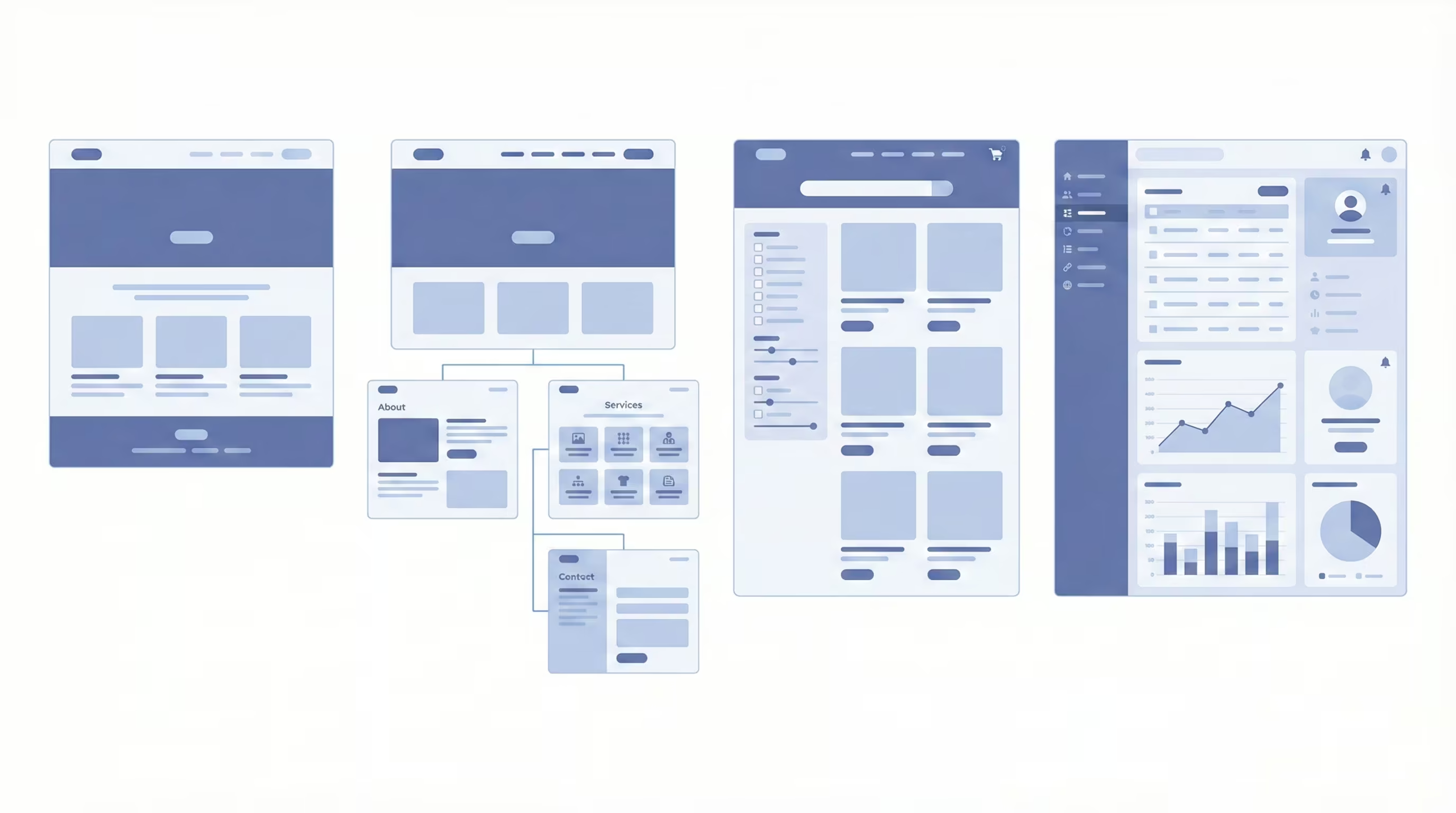
Website design development always begins with defining the type of project and its architecture. This determines how many scenarios must be planned, how many layouts must be created, and how deeply interaction logic must be developed. Externally the difference may be invisible, but internally the workload differs many times over. Let us look at this in more detail:
- Landing Page. This is a single page with a clear scenario: the user scrolls, becomes familiar with the offer, and performs a target action. Usually, the structure consists of 5–12 blocks. The designer plans the content sequence, accents, placement of forms and buttons. One complete layout is created for desktop and mobile versions.
- Corporate website. Here sections and subsections appear, second-level navigation, and several types of internal pages. A sitemap must be created so users can quickly navigate between services, cases, and company information. Usually 5–10 unique layouts are developed. It is important to design not only the appearance of pages but also the logic of transitions between them.
- Online store. The structure becomes more complex: catalog, filters, product cards, cart, checkout, personal account. Each element has multiple states: active, hover, error, out of stock. The designer works with dozens of micro-scenarios: adding products, changing quantity, applying discounts. The number of unique screens may exceed 20.
- Portal or web system. This is already a full digital product with different user roles, dashboards, tables, and interactive charts. The structure often has several levels of nesting. Access logic, notifications, and data processing must be designed. The number of screens may reach several dozen, and each has multiple state variations.
The more complex the structure and the more behavioral scenarios there are, the more time is required for design. This internal logic most often forms the main part of the budget, even though users only see a clean interface.{{2rem}}
Number of unique pages and layouts
Clients often ask: what determines website design pricing if the project has few pages? The answer is simple — the number of unique layouts. They define the real scope of work, not the total number of menu sections.
If a website has ten pages but eight are built using one template, the designer essentially creates one base layout and scales it. But if every page has its own structure, different blocks, or functionality, these are ten separate design solutions.
The cost is influenced by the following factors:
- a homepage with an individual structure and multiple scenarios
- separate templates for services, cases, blog, or product pages
- presence of forms, filters, cart, or personal account
- designing all element states: errors, empty pages, success messages
- creating a mobile version for each layout
For example, a product page in an online store is not just a description and photo. It requires designing attribute selection, quantity changes, availability display, and error notifications. Each state is prepared separately by the designer.
Similarly, mobile adaptation is not simply “shrinking” the desktop version. Blocks are reorganized and layout logic changes. In practice, each layout is redesigned again. Therefore, even with a small number of pages, the budget may differ significantly. The key factors are layout uniqueness and implementation complexity.{{2rem}}
Market, audience, and competitor research
Professional design begins with analytics. If a website is created without research, it is based on assumptions. If created with research, it is based on data. This often explains the difference in results after launch.
Market research helps understand which standards are already formed in your niche. For example, in e-commerce users expect filters, fast search, and a clear catalog structure. In the B2B segment, cases, numbers, guarantees, and service presentation logic are important. Ignoring these expectations reduces trust and conversion.
Audience analysis provides concrete answers to questions:
- which devices most users access the site from
- how long they stay on the site
- at which stage they leave the page
- which pages they view most often
These insights are obtained from Google Analytics, Hotjar, Microsoft Clarity, and other heatmap tools. For example, if 70% of traffic is mobile, the mobile version must be designed first. If users frequently leave after the second block, the structure needs adjustment.
Competitor analysis helps identify not only strengths but also common mistakes. The designer evaluates homepage structure, navigation logic, presentation of pricing and benefits, and speed of access to key information. The goal is not copying but understanding the market context and finding differentiation opportunities. If competitors use overloaded interfaces, a clean structure focused on speed can become a competitive advantage.
UX/UI design: what is included and what you pay for
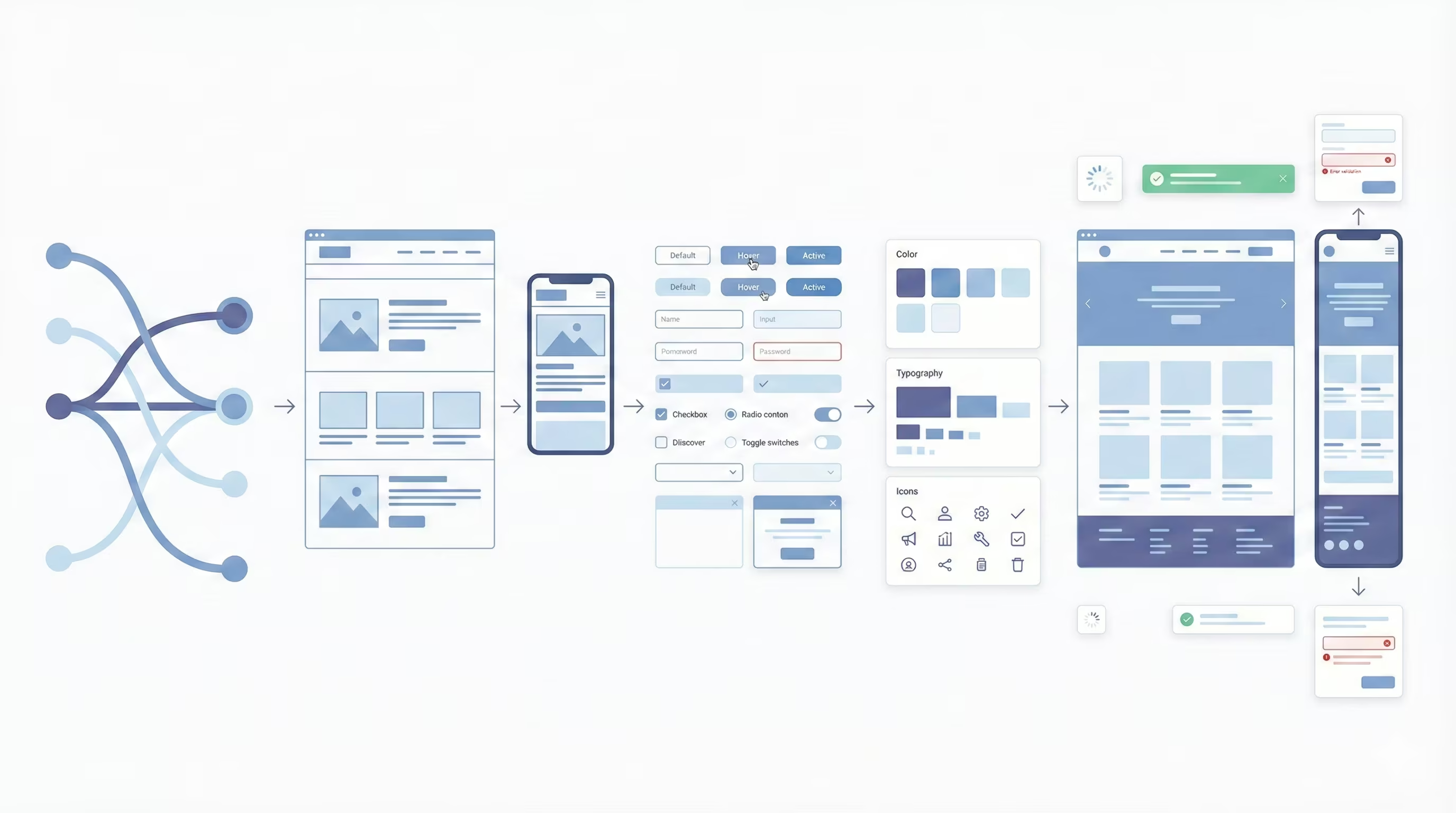
UX/UI design is about how a person thinks, moves through a website, and makes decisions. UX is responsible for logic and usability, UI — for the visual system and brand perception. When these two levels work together, a website becomes a sales tool. If not, it creates unnecessary barriers.
When you invest in UX/UI, you pay for structure, scenarios, prototypes, an element system, logic testing, and adaptation for different devices. This is comprehensive work that affects conversion rate, page depth, and trust in the company.{{2rem}}
UX (User Experience): usability and interaction logic
UX is the architecture of a website. It determines how quickly a user finds the needed information and whether they reach the target action. In UX design practice, the work includes the following:
- creation of section structure and page hierarchy
- building behavioral scenarios (user flow)
- screen prototyping without visual styling
- optimization of forms, cart, search, and filters
- planning all possible interface states
For example, if an application form contains 10–12 fields, a UX designer analyzes whether all of them are necessary. Reducing the form by even 2–3 fields can significantly increase completion rates. In e-commerce, optimization of the checkout process often reduces the path from 4 steps to 2, which directly affects purchase completion.
UX is also work with risks. If a user does not understand what will happen after clicking a button, they will not click it. Clear hints, logical transitions, and predictable navigation reduce cognitive load.{{2rem}}
UI (User Interface): visual style and interface elements
UI is a system of visual decisions that helps users navigate a page without extra effort. If UX defines logic, UI determines how that logic looks and is perceived. Color, typography, button size, spacing between blocks — all of this forms hierarchy and controls attention.
High-quality UI design includes:
- building a color system with clear role distribution: primary color, accent color, neutral shades
- typography selection considering readability across different screens and sizes
- creation of all interface components: buttons, forms, checkboxes, cards, icons
- development of a design system or UI kit to maintain visual consistency
- definition of component usage rules across different scenarios
For example, the main action button must immediately attract attention and differ from secondary ones by color or visual weight. If all elements have equal emphasis, it becomes harder for users to understand where to click. Text and background contrast is equally important: low contrast reduces readability and increases bounce rate.{{2rem}}
Responsiveness and mobile version of the website
Mobile traffic in most niches has long exceeded half of total traffic. Therefore, the mobile version cannot be secondary. It must be designed in parallel with the desktop version and consider a different interaction logic.
Responsive design includes:
- restructuring block layout for vertical screen format
- changing element order for comfortable smartphone perception
- increasing clickable areas for finger interaction
- simplifying menus and navigation
- testing forms, cart, and all key actions on real devices
- optimizing images and content for fast loading
A mobile interface has its own rules. Multi-level menus transform into compact structures, large tables adapt into cards or blocks, and long texts are divided into shorter segments. This is not mechanical scaling but separate design work.{{2rem}}
Pricing for different website design types in 2026
In 2026, website design pricing — formed based on structure complexity, number of layouts, UX depth, and responsiveness — varies significantly more than a few years ago. The same basic blocks may exist, but tasks and budgets differ.{{2rem}}
Landing Page
A landing page is a concentrated sales tool designed to guide a user through a clearly structured scenario toward a single action: purchase, request submission, or registration. Externally it may seem simple, but mistakes here are the most expensive because all conversion is concentrated on one page.
Within a high-quality project, the designer performs the following actions:
- analyzes the offer and competitors
- builds block structure according to decision-making logic
- places trust triggers: testimonials, guarantees, numbers
- designs a form with a minimal number of fields
- adapts the page for mobile traffic
The typical budget in 2026 ranges approximately from $400–1200. If detailed analytics, custom branding, or animation are added, the cost increases. The main pricing factor is UX depth, not page length.{{2rem}}
Corporate website
A corporate website performs several functions at the same time: it presents the company, explains services, builds trust, and generates inquiries. The structure usually contains 5–15 pages with different logic. During development, the following actions are mandatory:
- a sitemap is created with a well-thought-out hierarchy
- the structure of service and case pages is defined
- a unified visual style is formed
- feedback forms are designed
- a mobile version is developed for each page type
The number of unique layouts can be 6–10. The budget is usually within $1000–3000. If the website includes complex integrations, multi-level navigation, or non-standard UI, this affects an increase in cost.{{2rem}}
Online store
An online store is a full-fledged sales system. Its effectiveness is measured by conversion rate, average order value, and checkout speed. That is why design here directly affects the financial result. Here is what a designer does when implementing this project:
- develops the catalog structure with filters and sorting
- creates product cards with variations of characteristics
- thinks through the cart and multi-step checkout
- optimizes forms for mobile input
- works through dozens of element states
The number of layouts can exceed 20, and the number of interface components can exceed a hundred. Note that if you order website design, the price of an online store is directly related to the number of product categories, purchase scenarios, and the level of customization.{{2rem}}
Portal or large web systems
An online store is a full-fledged sales system. Its effectiveness is measured by conversion rate, average order value, and checkout speed. That is why design here directly affects the financial result. Here is what scope of work a designer performs in this case:
- designs the catalog structure with filters and sorting
- creates product cards with variations of characteristics
- thinks through the cart and multi-step checkout
- optimizes forms for mobile input
- works through dozens of element states
The number of prototypes can exceed 20, and the number of interface components can exceed a hundred. Here, the price is directly related to the number of product categories, purchase scenarios, and the level of customization.{{2rem}}
How much website design costs: price ranges
In 2026, the price of website design can differ by multiples even for similar projects. The difference is explained not only by the scale of the website, but also by the level of elaboration: whether it will be a basic layout without deep analytics, or full UX design with a design system and detailing of every interface state.
To assess expectations realistically, it is important to understand what exactly is included in different price categories. So let’s break down what scope of work and what result you get within different budgets.{{2rem}}
What you will get for $500
A budget around $500 is the entry level. Most often, this is about a simple landing page or a small website with minimal structure. In this case, design solves a basic task: to present information neatly and ensure one target action.
For this money, you typically get one key layout with mobile adaptation, a basic block structure, and standard interface elements. Deep analysis of the audience or competitors is not conducted. A design system is not created separately, and components are formed within the specific layout. This is suitable for testing a hypothesis, launching a new product, or a small business that needs to get online quickly. But it is worth understanding: the possibilities for conversion optimization within such a budget are limited.{{2rem}}
What is included in a $1000 budget
This level already allows working not only with form, but also with content. Design starts with structure: a sitemap is created, the logic of transitions between pages is defined, and scenarios of user interaction with content are worked through.
Several unique layouts appear in the project: for the homepage, service pages, contacts, or a blog. Different interface states are worked out: a message about successful form submission, input errors, content display variations. The visual system becomes more coherent: a palette, typography, and a set of repeating elements are formed.
Such a budget is optimal for a corporate website or a small online store. You get a thought-out structure that helps the user quickly find the needed information.{{2rem}}
What design for $5000+ includes
With such a budget, work starts with research: analysis of the audience, competitors, and behavioral scenarios. Based on the data, UX architecture is formed, which determines the logic of the entire system.
The number of layouts can reach several dozen, especially if it is an online store with a large number of categories or a SaaS platform. A full design system is created, which allows scaling the product without losing integrity. User roles, complex scenarios, micro-interactions, and interactive elements are worked out.
The mobile version is developed as a separate experience, not as a reduced copy of the desktop. As a result, you get not a set of pages, but a structured digital product ready for scaling and integrations. It is at this level that design directly affects conversion metrics and project profitability.{{2rem}}
Additional costs that are often forgotten
When a budget for design is formed, the customer usually thinks only about layouts. But the real cost of a project is not only the designer’s work. There are associated costs that directly affect the quality of the result and the further effectiveness of the website.
Content, visual materials, technical support after launch — all of these are separate cost items that are often not accounted for at the start. As a result, the budget increases already during the work process. To avoid this, it is important to understand right away what additional components may be needed and how they affect the final result.{{2rem}}
Content (texts, photos)
Design does not exist in a vacuum. It works together with text and images. If the content is weak or missing, even a high-quality interface will not deliver results. That is why, when planning the budget, it is worth immediately considering costs for copywriting and visual materials.
Professional texts are a selection of arguments, work with client pains, correct headlines, and calls to action. One well-thought-out text can increase conversion much more than an additional animation. A separate cost item is photographs. Stock images sometimes look artificial and do not build trust. An individual photo shoot or branded images cost more, but significantly strengthen the perception of the company. In the B2B segment, real photos of the team or production work better than universal stock pictures.{{2rem}}
Illustrations, animations, 3D graphics
Complex visual elements significantly affect the budget. Custom illustrations, custom icons, or 3D graphics require separate time and specialists. For example, a set of unique illustrations for a corporate website may require several weeks of an illustrator’s work. 3D product visualization or interactive animation is created separately from the basic UI design.
Animations also have different levels of complexity. A simple button micro-interaction is one task. A complex first-screen animation or an interactive block with moving elements is a completely different scope of work. Such elements increase visual appeal and distinguish the website from competitors, but they are not always critically necessary. If the budget is limited, it is better to invest in UX than in excessive graphics.{{2rem}}
Technical support and updates
After launch, a website needs support, updates, and adaptation to changes in the business. This is another cost item that is often not considered at the start.
Technical support includes:
- updating the CMS or platform
- fixing minor errors
- adapting for new functions
- adding new pages or sections
If the design was created without a systematic approach, any update may require reworking layouts. If a design system was developed, scaling is much easier. It is also worth considering costs for further interface improvements. The business grows, the strategy changes, new services appear. All of this affects the website structure.{{2rem}}
How to choose a studio or designer and not overpay
The cost of design often depends not only on the complexity of the website, but also on whom you choose to implement the project. The market is oversaturated: freelancers, small studios, agencies with large portfolios. To not overpay and not waste time, it is important to evaluate not only the number in the commercial offer, but also the approach to work, experience, and process transparency.{{2rem}}
What to pay attention to in the portfolio
A portfolio is a demonstration of thinking. The first thing to assess is whether different projects are truly different. If all websites look the same, the designer likely works from a template.
Pay attention to:
- variety of styles and approaches
- complexity of the structure of the shown projects
- presence of mobile versions
- real links to working websites
A good signal is when the designer can explain the logic of decisions. Why is navigation built this way? Why is the button placed here? If the answers are reasoned, this indicates a systematic approach. It is also worth checking whether the portfolio matches your niche. Experience in a similar field reduces the time needed to dive into the project.{{2rem}}
What questions to ask before starting work
Before starting, it is important to discuss not only timelines and cost. There are several key questions that help understand the level of the specialist.
Ask about the process:
- Is audience and competitor analysis conducted?
- How many approval stages will there be?
- Is creating a design system included in the work?
- How are layouts handed off to developers?
Separately, it is worth clarifying the number of revisions. Vaguely defined terms often become the cause of conflicts. If the process is structured, it reduces the risk of additional costs. It is also useful to ask for examples of complex projects. Experience with non-standard tasks speaks to flexibility and professionalism.{{2rem}}
Typical client mistakes
Most often, problems with budget and timelines arise not because of the designer, but because of a chaotic start. When there is no clear goal, clear scope of work, and internal preparation, the process turns into endless revisions. As a result, not only the cost grows, but also tension between the parties.
Most mistakes repeat from project to project. They seem minor at the beginning, but in the end can cost much more than thoughtful preparation. Let’s consider the most typical of them:
- Choosing a contractor only by the lowest price without evaluating approach and experience
- Lack of a clearly formulated website goal and KPI
- Unprepared content or its constant change during the work process
- The desire to combine “everything at once” without priorities
- Frequent concept changes after design approval
- Undefined rules regarding the number of revisions
- Ignoring the mobile version as a separate scenario{{2rem}}
Technologies that affect the design price in 2026
The price of a website design is determined not only by the number of pages or the level of structural complexity. A significant role is played by the tools on which the process is built. Technologies affect the speed of work, the depth of detailing, the possibility of scaling, and integration with development.
Today a designer does not work “in a vacuum”, but in an ecosystem of services that automate part of the tasks and at the same time open new opportunities. Some technologies reduce the cost of the process, others increase its cost due to extended functionality.{{2rem}}
AI and automation
Artificial intelligence has become a full-fledged tool for a designer, but it does not replace a professional. AI helps speed up routine stages: generating composition options, creating icons, selecting color schemes, analyzing content.
Automation helps solve the following tasks:
- create prototypes faster
- generate UI solution options for comparison
- optimize images and adaptations
- form basic texts for layouts
This reduces the time for technical preparation, but strategic decisions—navigation logic, user journey architecture, building a design system—remain within the specialist’s responsibility.
In some cases, using AI reduces the budget if the project is simple and does not require deep customization. However, in complex systems, artificial intelligence is only an auxiliary tool, not a way to make it cheaper.{{2rem}}
Innovations in Webflow, Figma, Tilda, CMS
Modern platforms have significantly changed the design creation process. For example, Figma makes it possible to work on layouts as a team in real time, which shortens the approval stage. The presence of components and auto-layouts simplifies scaling a design system.
Webflow has become a full-fledged no-code environment where design and layout are combined. This makes it possible to implement corporate websites faster without involving a separate development team. In this case, the budget can be optimized by reducing stages. Tilda is well suited for simpler projects where launch speed is important. It helps reduce costs for the technical part, but has limitations in customization.
CMS systems with flexible architecture provide more opportunities for scaling, but require deeper design planning at the design stage. If a complex integration or multi-level structure is planned, this affects the scope of work and, accordingly, the budget.{{2rem}}
Prospects and web design trends in 2026
Modern users have become more demanding, competition has increased, and the decision-making speed has been reduced to a few seconds. A website can no longer be just beautiful—it must be clear, fast, and adaptive to human behavior.
This year’s trends are connected with efficiency. Minimalism, personalization, and thought-out animation work as tools for improving the user experience.{{2rem}}
Minimalism and speed
Minimalism in 2026 is about a clear hierarchy and the absence of unnecessary decisions. A user does not read a page fully—they scan it. That is why the emphasis is on large headlines, clear buttons, and a logical rhythm of blocks.
An important factor has become loading speed. If a website opens longer than 2–3 seconds, a significant part of users simply leave. Designers take this into account already at the design stage: they optimize images, limit heavy animations, simplify the structure.
A minimalist approach also makes scaling easier. A clear grid, thought-out typography, and repeatable components help develop a website without losing integrity.{{2rem}}
Personalization and interactivity
Users expect that a website will “understand” their needs. This can be dynamic content, adapting an offer to a region or behavior, recommendation blocks. Interactivity plays an important role in engagement. Calculators, configurators, real-time filters: all of this helps a person not just read information, but interact with it. This approach increases time on site and the level of trust.{{2rem}}
Enhanced animation and micro-interactions
As for animation, it has become more restrained, but thought-out. This is not about large-scale effects, but about small details: a button’s reaction to a click, a smooth appearance of a block, highlighting an active element.
Micro-interactions help the user understand that the system responds to their actions. This reduces uncertainty and makes the interface intuitive. For example, an animated confirmation of successful form submission reduces the feeling of an error or delay. Enhanced animation is also used to explain complex processes. A smooth transition between steps or visual prompting of the next action makes the interface more friendly.{{2rem}}
Conclusion
Website design is systemic decisions that influence user behavior and the financial result of a business no less than choosing a domain and hosting. That is why the final website design price is formed not by the number of pages, but by the depth of analytics, the complexity of the structure, the thoughtfulness of UX, and the level of adaptation for mobile traffic. When you plan a budget, it is important to look broader: consider the type of resource, the number of unique layouts, technologies, content, and further support.
A rational approach is to define goals before the start of work. If a website must generate sales, scale a business, or automate processes, saving on design may cost more in the future. A properly calculated budget is an investment in a tool that works long-term.{{2rem}}
FAQ
This section presents the most common answers to the question of how the website design price is formed.
How much does website design cost in 2026?
The cost of design can start from $400–500 for a simple landing page and exceed $5000–8000 for online stores and web systems. The final amount depends on the number of unique layouts, the complexity of the structure, and the depth of UX elaboration. The more interaction scenarios, the higher the budget.{{1rem}}
Why can the website design price differ a lot?
The difference is explained by the scale of the task, the level of research, and the approach to design. One project may be limited to a basic layout, another may include analytics, a design system, and dozens of screens. The team’s experience and the complexity of technological implementation also have an impact.{{1rem}}
What is included in a web design service?
Usually this is analysis of the task, creation of the structure, prototyping, development of the visual style, and the responsive version. In more complex projects, audience research, a design system, and working through different interface states are added.{{1rem}}
Is UX design needed for small business?
Yes, even a small website must be logical and clear. A thought-out structure and optimized forms help increase conversion without additional spending on advertising. UX is an investment in convenience that pays off faster than it seems.{{1rem}}
Can you reduce the cost of website design?
Yes, if you clearly define priorities and limit functionality at the start. For example, launch an MVP with a minimal number of layouts, and move scaling to the second stage. It is important to reduce not the quality of logic, but only the scope of work.